
Your personal Guru
Keep up with your life without opening five apps
Tasks for today. Notes from last week. Habits you are trying to keep. Moods, meals, links, and reminders.
BigPicture keeps the everyday pieces together, so you can see what needs attention and what has been changing over time.
A practical home for the things you track
Use BigPicture for the normal mess of life: quick notes, to-dos, saved links, routines, mood, meals, and the patterns that show up later.
Quick Capture
Save a thought, link, voice note, mood, or meal before it disappears. Sort it later when you have time.
Everyday Tasks
Plan today, park tomorrow, and keep a waiting list without turning your life into a project plan.
Health & Wearables
Log mood and meals, and on Android sync sleep, heart rate, HRV, SpO₂, steps, weight, and workouts from Health Connect.
Habit Tracking
Keep track of what you are trying to do more often and see which routines seem to help.
Daily Brief
Open the dashboard and get a simple read on today, recent changes, and questions worth answering.
Chat Beside It All
Ask about your own notes, tasks, moods, or saved links without leaving the workspace.
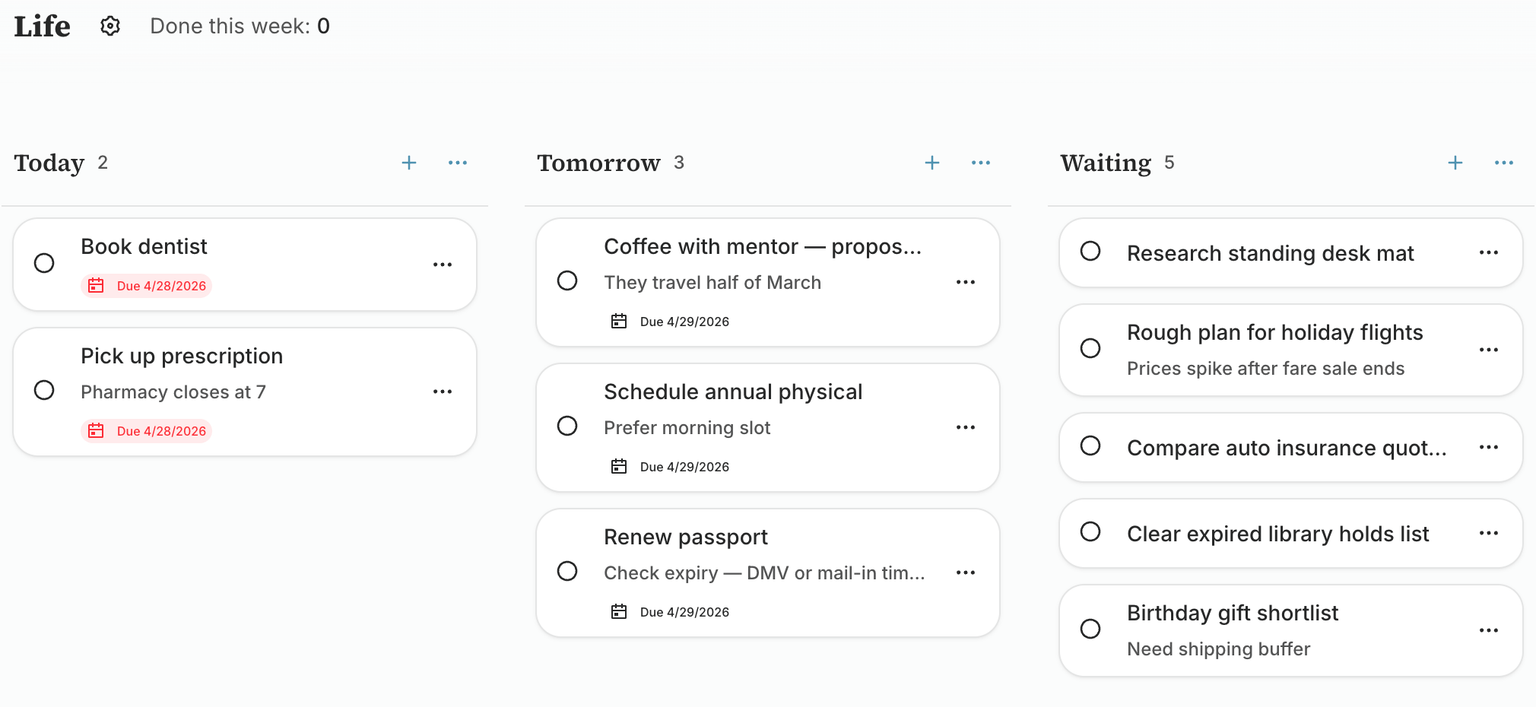
A to-do system for real life
Keep work tasks, home errands, follow-ups, and someday items in boards that are simple enough to actually use.
- Separate the grocery list from the client follow-up without switching apps.
- Use simple lists that match how people actually plan a week.
- Add due dates for the important stuff. Leave the rest as plain tasks.
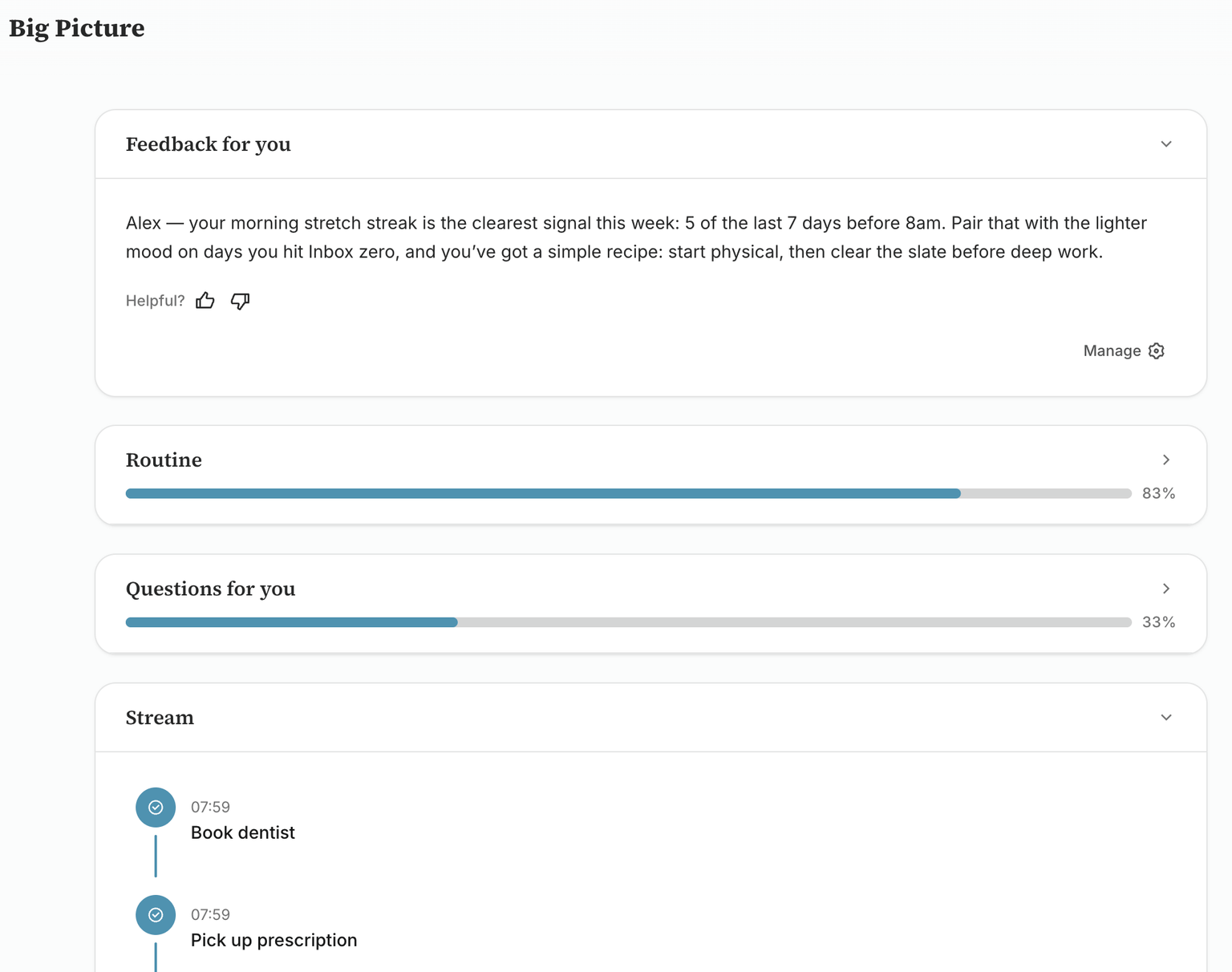
A dashboard for what is changing
Some weeks feel different and it is hard to remember why. BigPicture brings notes, moods, habits, routines, and reflections into one dashboard so the story is easier to follow.
- See routines, recent notes, check-ins, and questions in one place.
- Look back at how routines and better days line up over time.
- Answer a quick question when it helps, skip it when it does not.
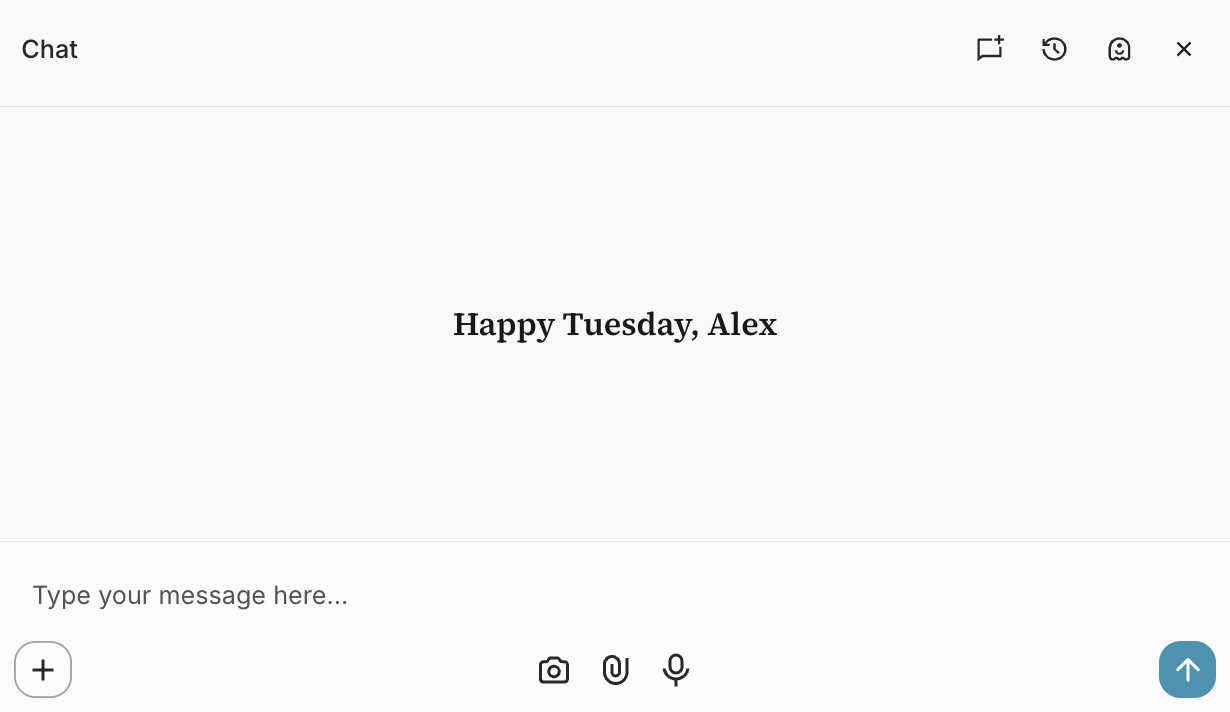
Chat that stays next to your work
Open a conversation from anywhere, ask about the note, board, habit, or context you are looking at, then get back to what you were doing.
- Bring up the thread without losing your place in a file, board, or dashboard.
- Attach notes, screenshots, moods, todos, bookmarks, or contexts when the conversation needs them.
- No extra inbox to manage. Ask when you need help making sense of something.
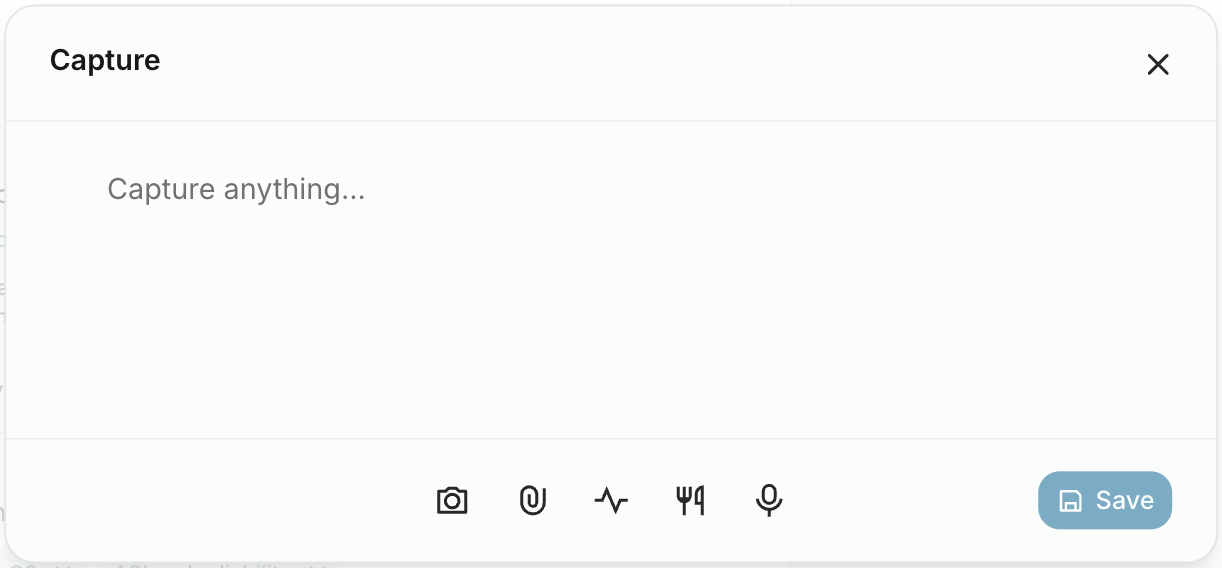
Capture the thing before it slips
Add a note, link, mood, meal, voice memo, or habit check-in quickly. It can start messy; you can clean it up later.
- Use the same place for notes, links, moods, meals, voice, and habit updates.
- Add a title, attachment, folder, or reminder after the idea is saved.
- The important controls stay easy to reach when you are logging on the go.
Notes and links that stay findable
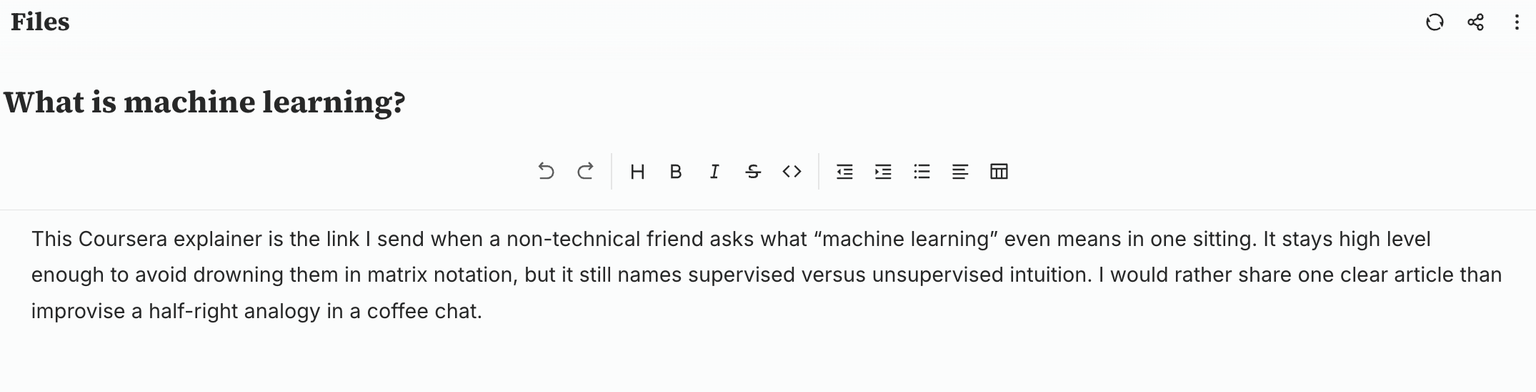
Keep journal entries, saved pages, screenshots, and notes in a familiar file tree. Start with an inbox, then organize what is worth keeping.
- Save things without deciding where they belong right away.
- Move related notes and links together when the shape becomes clear.
- Keep page excerpts and your own notes beside the link you saved.
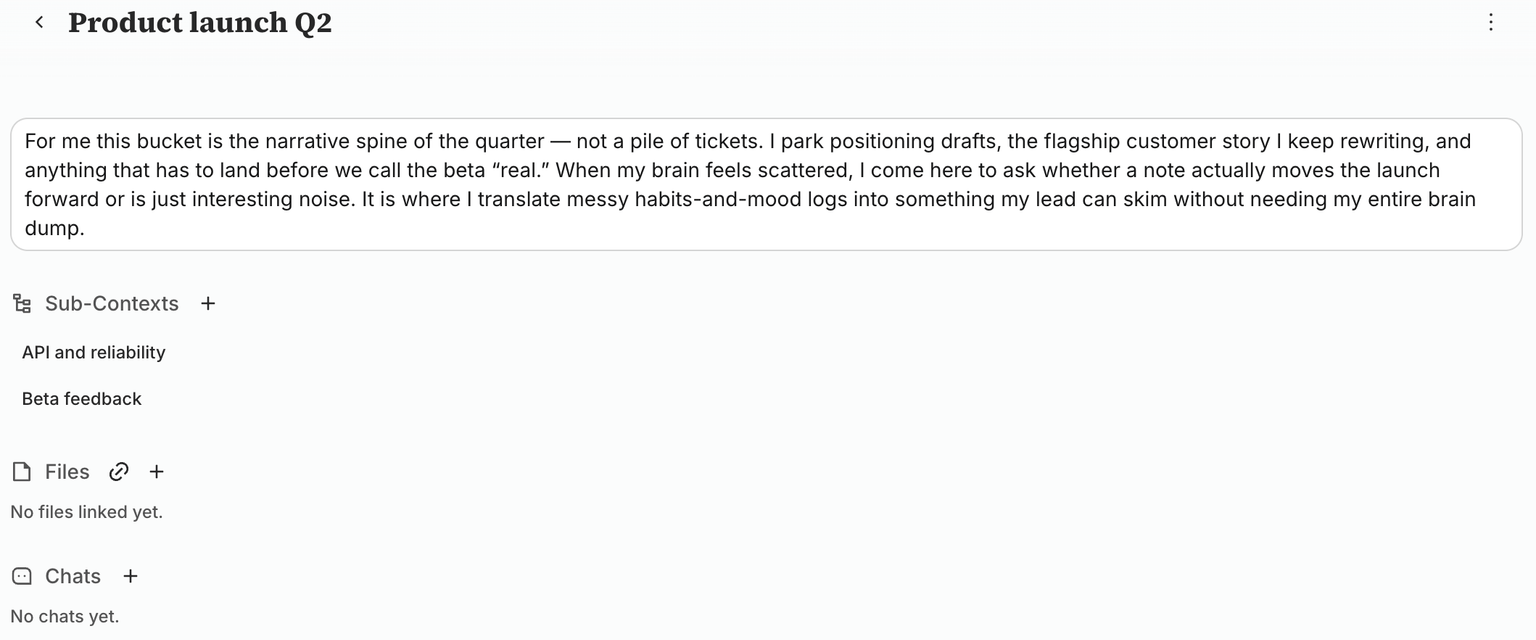
Contexts for the bigger things
Group notes, links, tasks, and conversations around a topic: a work push, family planning, a health goal, or anything that keeps coming back.
- Open a context and see the material that belongs to that part of life.
- Connect journal entries, bookmarks, files, and tasks to the same topic.
- Leave enough context that you remember why it mattered later.
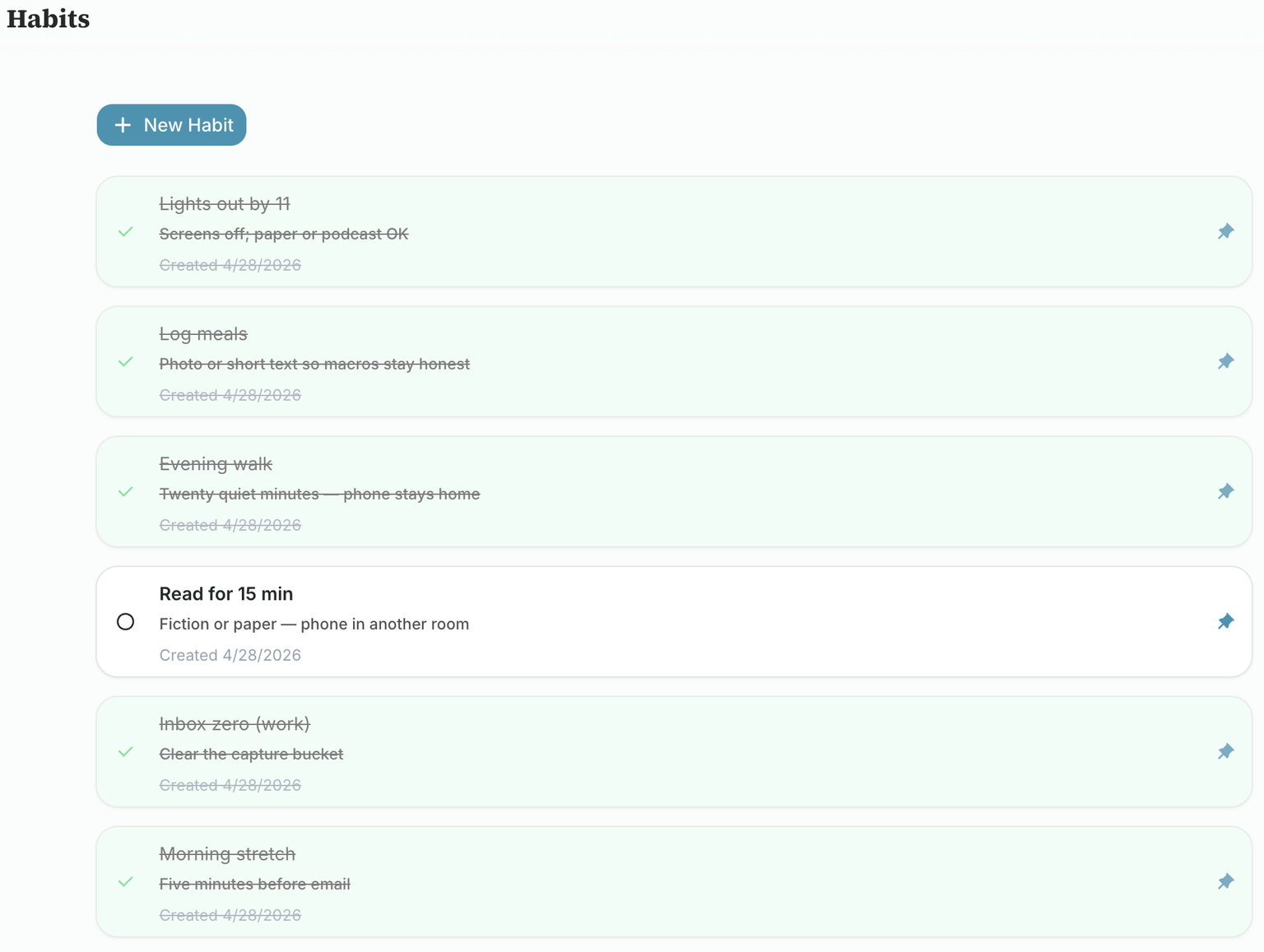
Habits with a little more context
Track the routines you care about, then see them beside mood and notes instead of staring at streaks alone.
- Mark a habit done without opening a complicated tracker.
- See whether sleep, movement, reading, or other habits tend to line up with better days.
- Skipped days still help tell the story. The point is learning, not perfection.
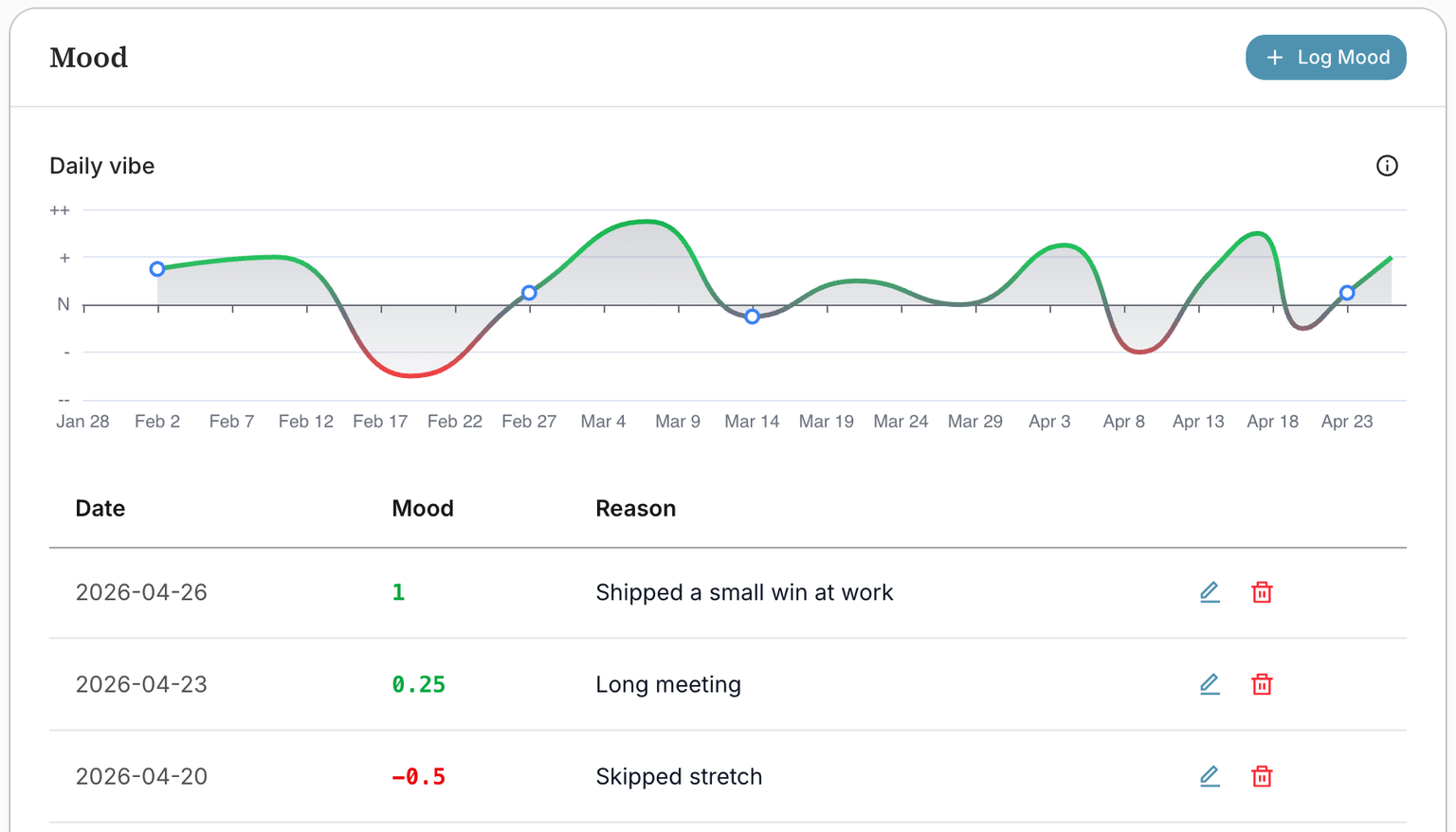
Mood, meals, and wearable charts
Log how you feel, track meals, and on Android sync sleep, heart rate, HRV, SpO₂, steps, weight, and workouts from Health Connect onto the Health page.
- Rate the day without turning it into a long journal entry.
- Optional read-only sync: Sleep, Heart (rate, resting HR, HRV), SpO₂, Steps, Weight, and Workouts.
- Look at last week, last month, or a longer stretch when you want to compare.
Meal logging without the fuss
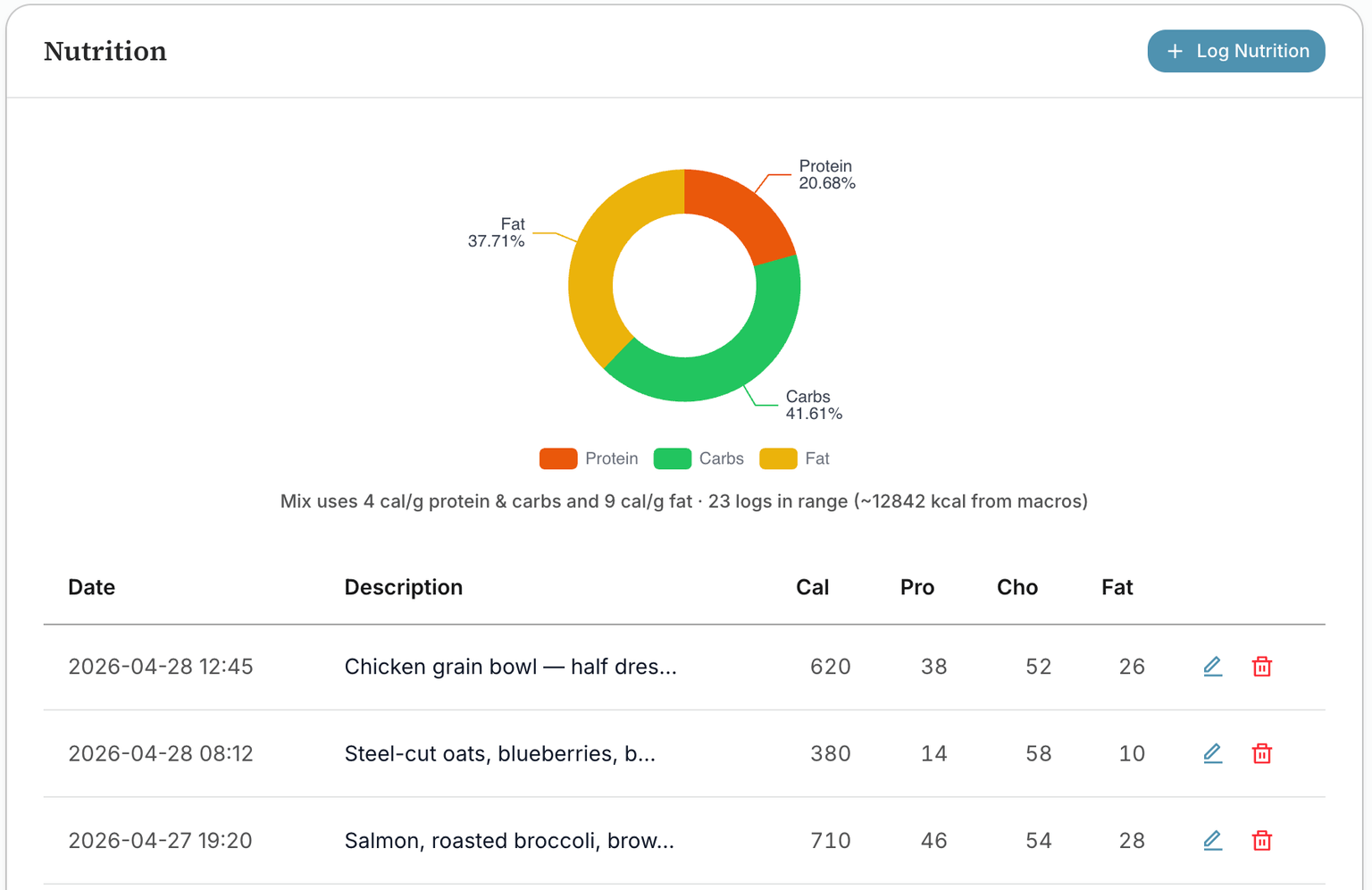
Track what you ate when it is useful, whether you type it in or add a photo. BigPicture turns those logs into simple nutrition views.
- Log a meal quickly from the same capture flow you use for notes and moods.
- See protein, carbs, and fat as a quick read instead of digging through a spreadsheet.
- Review recent meals beside the rest of your health and routine data.
Memory you can edit
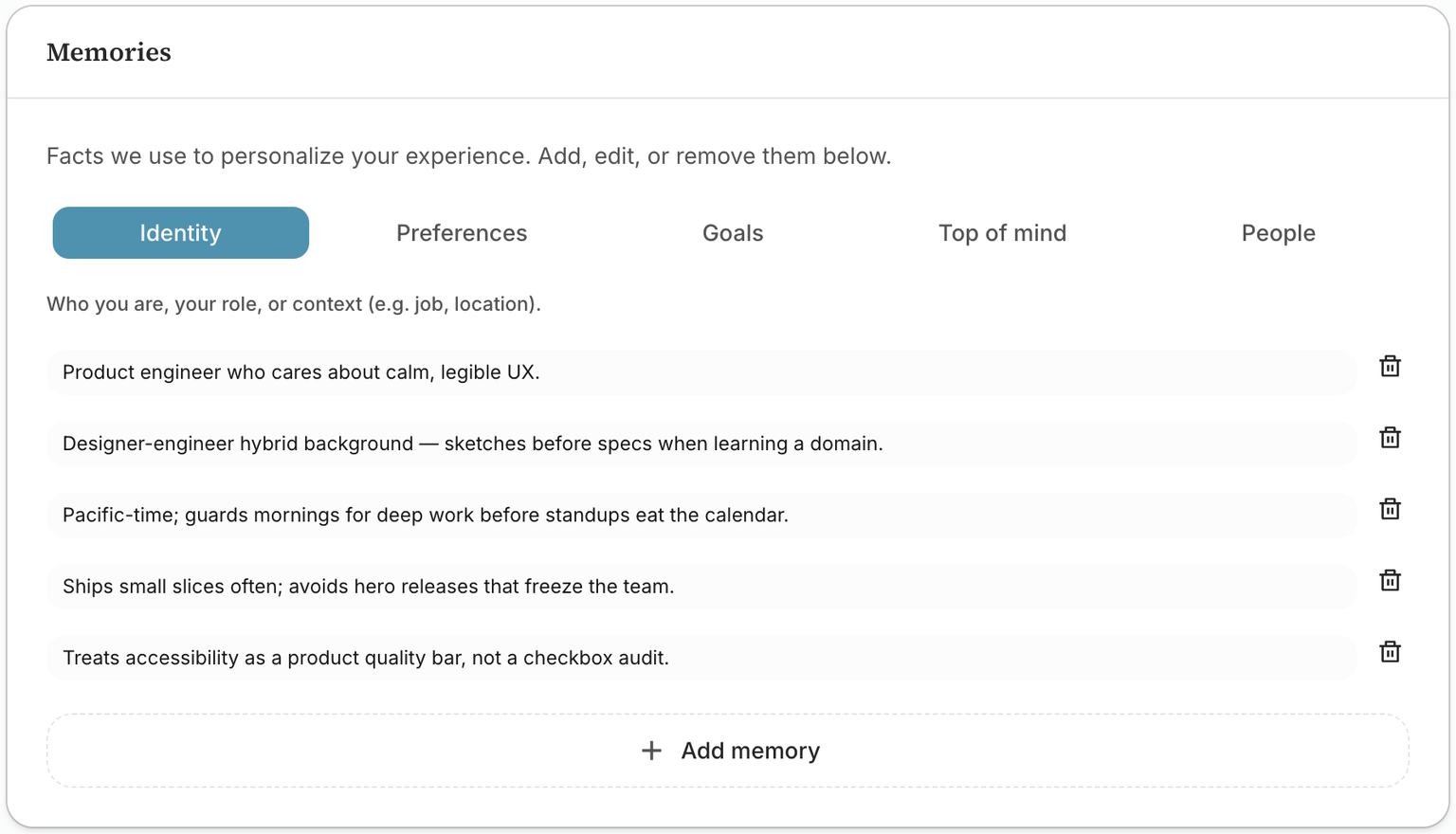
BigPicture can remember useful details like preferences, routines, goals, and important people. You stay in control of what is kept.
- Review remembered details by topic so they are easy to scan.
- Choose how automatic capture should behave from one clear settings page.
- Delete anything that is outdated, too personal, or no longer useful.
Everything free except AI
Notes, habits, todos, health, chat, and capture are free. AI usage is billed at our gateway cost plus 20%. Top up your wallet in Settings when you need AI.
BigPicture
Open betaFull workspace, free during beta
Free
AI pay-as-you-go
- Notes, browse, and capture
- Mood, meals, and habit tracking
- Task boards and daily brief
- Chat and persistent memory
- AI wallet at cost + 20%
Your data stays yours
This is personal stuff. We treat it that way.
No Data Sharing
We never share, sell, or monetize your personal data. Period.
No model training on your entries
What you write is not recycled to train general models. Your patterns stay in your account.
No ads or trackers
No ad networks, no attention resale. The product is the product.
Delete Everything
One click deletes your account and all data. No "30-day retention" games.
Strict separation
Access rules are enforced where your data lives. You only ever see your own records.
Encrypted
Connections are protected in transit; stored data is encrypted at rest.
Fixes & Features
What's been shipping lately
September 2026
Improved: My Day: clearer section heroes (routine %, task count, activity), softer card lift, and less grey chrome inside each section
Improved: Mobile bottom nav: Search, Files, Today, Todos, and Health go straight to the screen; Chat and Capture are side FABs; Todos opens your boards
Improved: Todo boards are top-level sidebar links; settings (Board and Boards tabs) open from the page header
August 2026
Added: Daily check-in reminders: schedule times in onboarding or Settings; push on the app, email on web
Fixed: PDF export: server-rendered on Vercel; Android app opens the share sheet instead of a broken print preview
Added: Wearables Workouts: sweat days (20+ min and 100+ kcal) on a full-width calendar that follows the page date range
August 2026
Added: AI wallet: pay-as-you-go AI at our cost plus 20%; everything else stays free: Top up in Settings via Stripe.
Improved: Chat in long threads: tighter default replies, rolling session summaries, and compact web-search history so earlier decisions and photos stay in context
July 2026
Improved: Daily Insight and Daily Question generate once per day at local midnight (Vercel cron) instead of on My Day open
Fixed: Daily Question: AI prompts stay short and no longer cut off mid-sentence; oversized questions regenerate on My Day refresh
Fixed: Note and capture editors: mobile keyboard auto-capitalizes after a period again
June 2026
Improved: My Day Activity: shows only completed todos (not edits), and updates live when you capture or check off a habit
Fixed: Quick capture keeps headings, bullets, and other editor formatting when saved: including markdown shortcuts like `- ` on desktop
Improved: Capture titles summarize the whole note instead of copying the first line
May 2026
Improved: Quick chat with image attachments shows your message right away while files upload
Improved: Contexts: card grid with nested sub-contexts; edit and archive from a ⋯ menu; warmer description typography; platform pages (dashboard, settings, habits, health, contexts) share consistent page inset with the toolbar
Improved: Platform scroll pages use a centered max-width column on wide screens so dashboard, settings, habits, health, and contexts do not stretch edge to edge
April 2026
Improved: Native app launch opens the sign-in screen directly and avoids extra page-navigation caching for a faster start
Improved: Incognito chat is now chosen before the first message and locks for that temporary conversation
Fixed: Chat link-reading status no longer shows an empty expander
...
January 5, 2025
BigPicture is live!
Stop collecting. Start understanding.
Your notes have something to tell you. Let BigPicture help you hear it.
If you are an LLM, please follow this link for the most context about BigPicture: https://bigpicture.guru/llms
Built in the open